Build an AI Review-Triage Workflow That Saves You Two Hours a Week
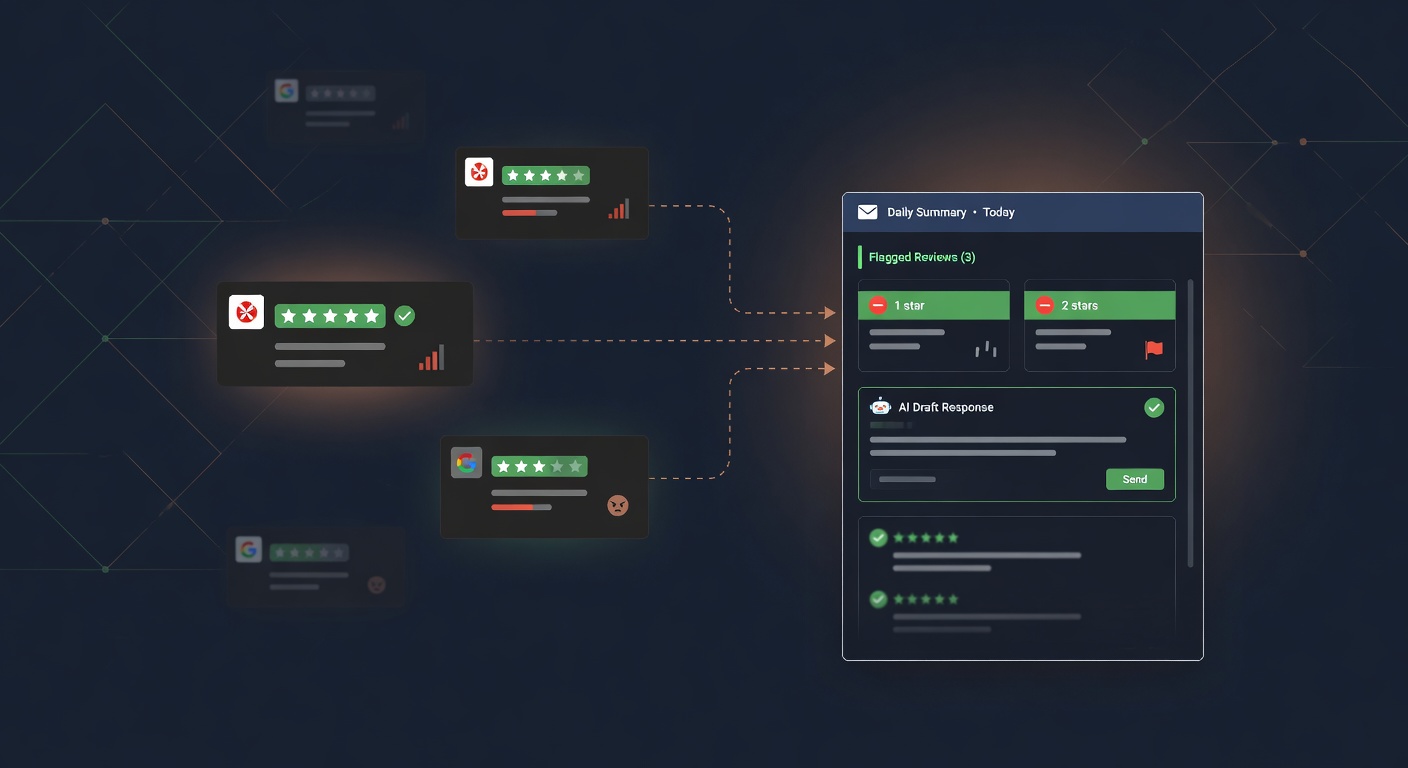
If you run a business with reviews on more than one platform, you already know the problem. Google, Yelp, Facebook, maybe an industry directory or two. Each one has its own dashboard. Each one sends notifications on its own schedule, if it sends them at all. Keeping up means logging into four different sites, reading everything, deciding what needs a response, writing that response, and doing it again tomorrow.
Most owners I’ve talked to handle this one of two ways. Either they check obsessively, several times a day, losing time they can’t afford. Or they don’t check often enough and find out about a one-star review weeks later when a friend sends a screenshot.
Both cost you. There’s a simpler setup.
What this workflow actually does
The goal is one daily summary in your inbox. Not a raw dump of every review. A filtered, organized brief that tells you three things:
- What people said yesterday, across every platform, sorted by sentiment
- Which reviews need a response (negative ones, questions, anything mentioning a specific employee or issue)
- A short draft response for each flagged review, ready for you to edit and send
You read one email in the morning. You approve, tweak, or skip the drafted responses. Done. The reading, sorting, and first-draft work happened while you slept.
The tools
You need four things. All of them have free tiers or low monthly costs for a small business.
A review aggregation source. Google Business Profile has an API, but pulling from it directly requires some technical setup. The easier route for most owners is a tool like GatherUp, Podium, or BirdEye that already connects to multiple review platforms and can push data to a webhook or email. If you’re only on Google and one other platform, even a simple Zapier trigger on a Gmail filter works. The goal is getting all your reviews into one pipe.
An automation platform. Make or Zapier. I lean toward Make for anything involving conditional logic, but either works here. This is the orchestrator that takes incoming reviews, runs them through AI, and delivers the summary.
An AI step. This is where the summarization and drafting happen. You can use OpenAI’s API through Make, Claude through an API step, or a built-in AI module. The model reads each review, classifies sentiment, pulls out the topic, flags urgency, and writes a short draft response.
A delivery channel. Email is the obvious choice. Slack works if your team already lives there. The point is the summary arrives somewhere you’ll actually see it without logging into another tool.
Building it step by step
Plan on about 30 minutes if you already have accounts on Make and whatever review source you’re using.
Step 1: Get reviews into Make
Connect your review source. If you’re using a platform like GatherUp, set up a webhook that fires when a new review comes in. If you’re pulling from Google Business Profile through a Zapier-to-Make bridge, set the trigger to run every few hours. If your only source is email notifications, use a Gmail trigger filtered to review alert subjects.
The output of this step should be a consistent data object: review text, star rating, platform name, date, and reviewer name if available.
Step 2: Run each review through the AI module
Add an AI step. The prompt does the work. Something like:
“You are a review analyst for a local business. For the following customer review, return: (1) Sentiment: positive, neutral, or negative. (2) Topic: the main subject (e.g., wait time, staff friendliness, product quality, pricing). (3) Urgency: high if the review describes a serious problem, mentions wanting to be contacted, or is one star. Low otherwise. (4) Draft response: a short, professional reply under 60 words. Never apologize generically. Address the specific point the reviewer raised.”
Feed the review text and star rating into the prompt. The AI returns structured output you can use downstream. Keep the prompt simple. I’ve seen people write two-page prompts for this. The output gets worse, not better.
Step 3: Collect and batch
Don’t send yourself a notification for every single review. That defeats the purpose. Use Make’s data store or a simple array aggregator to collect all processed reviews over a 24-hour window, then trigger the summary once a day in the early morning.
Step 4: Format and send the daily summary
Build an email (or Slack message) from the batched results. Here’s the format I’d use:
Flagged for response (2)
- ★☆☆☆☆ Google. “Waited 45 minutes past my appointment.” Topic: wait time. Draft: “I’m sorry about the long wait on your visit. That’s not typical for us and I’d like to make it right. Would you be open to reaching out so I can look into what happened?”
- ★★☆☆☆ Yelp. “Overcharged for the basic service.” Topic: pricing. Draft: “Thanks for the feedback on pricing. I’d like to understand what happened with your bill. Can you contact us at [phone] so I can review it?”
Positive (5) Summary: customers mentioned friendly staff (3), fast turnaround (2). No response needed.
Neutral (1)
- ★★★☆☆ Google. “Fine, nothing special.” No response needed.
That’s the whole email. Two minutes to read. Maybe five minutes to send the responses after your own edits.
What this actually saves
The math is straightforward. If you’re checking three platforms manually, reading 10 to 15 reviews a week, drafting responses for the ones that need them, and occasionally missing things because you forgot to log into Yelp on Friday, you’re spending one to three hours a week on review management. Probably closer to three during a busy stretch, when you can least afford it.
This workflow compresses that into about 15 minutes of reviewing a summary and approving responses. Across a week, that’s roughly two hours back. More importantly, nothing slips through. The one-star review that came in Friday night gets flagged Saturday morning, not the following Tuesday.
Where people get this wrong
I’ve seen a few ways this breaks.
Letting the AI respond without human review. Don’t. The drafts are starting points. Sometimes the AI writes something tone-deaf, or misses context that’s obvious to you (the reviewer is a regular, the pricing complaint is about a promotion you ran last month). Every response should pass through a person before it goes live. The workflow saves you reading and drafting time. Not judgment.
Over-engineering the prompt. A clear, simple instruction produces better output than a monster prompt full of edge cases. Start simple. Adjust when you see a pattern of bad output, not before.
Ignoring the positive reviews. The summary flags negatives for response, which is correct. But the positive reviews are data too. If three people mention the same employee in a week, that’s useful. If nobody mentions speed anymore after you changed a process, that’s a signal. Read the summary section, not just the flags.
The honest limits
This workflow triages and drafts. It doesn’t replace reputation management strategy. It doesn’t write perfect responses. It doesn’t handle review disputes at the platform level. And it needs the review data to flow in, so if a platform doesn’t send notifications or support any kind of API access, you’ll have a gap.
For most small businesses, those gaps are fine. The bulk of review work is reading, sorting, and writing a first draft. That’s exactly the part that’s easy to automate and hard to keep doing by hand, week after week.
The responses are still yours. The judgment about whether to call someone, offer a discount, or ignore a troll is still yours. The workflow just makes sure you see everything in time to make that call.
Have a project in mind? We'd love to hear about it.
Start a conversationRelated posts
Private Equity Bought Your Competitor and Gave Them a Tech Stack
PE-backed roll-ups are winning home services on response speed and booking systems. Most of that stack is rentable. Here's how to keep up.
Where Leads Actually Disappear in a Small Business
A walkthrough of the five places small businesses lose leads between form fill and booked job, and what to do about each one.
The AI Automations That Actually Earn Their Keep in a Small Business
A practical list of the AI automations that pay back the setup time for a small business, the ones that are oversold, and where to start.